


For All - State & Independent Schools
🗓️ Events
Event waiting lists
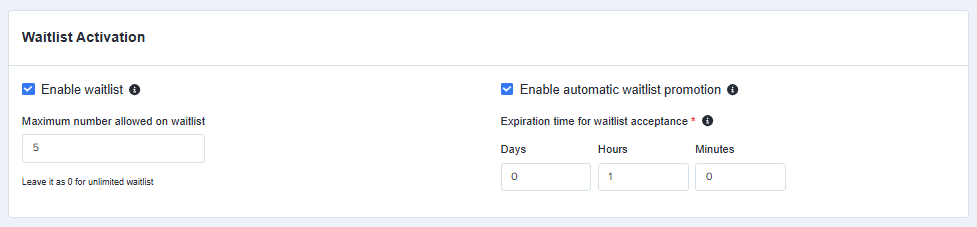
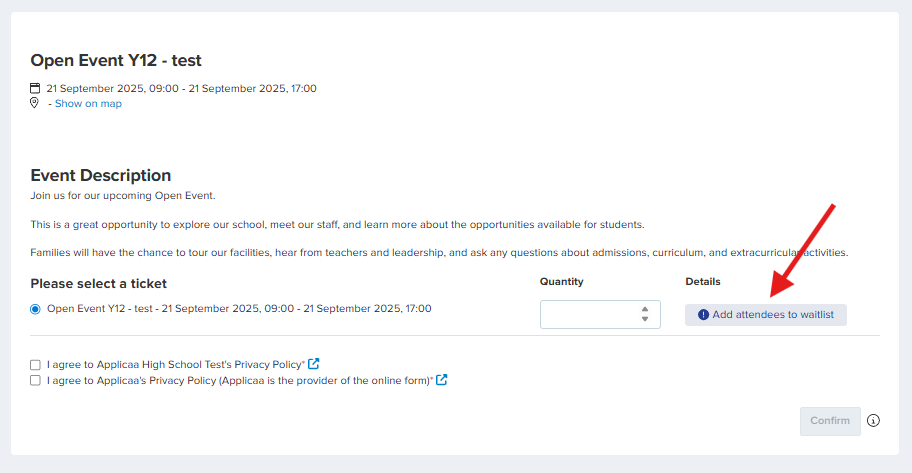
Admissions+ now supports automated event waitlists, so when events fill up, applicants can join a waitlist instantly and get notified if a spot opens. Admins can set limits, enable automatic or manual promotion, manage lists in a new 'Event Waitlists' tab in Events, and customise all related emails - making event management smoother for staff and seamless for applicants.
Find out more in the Knowledge Base.
Add/Edit event confirmation emails in the event form
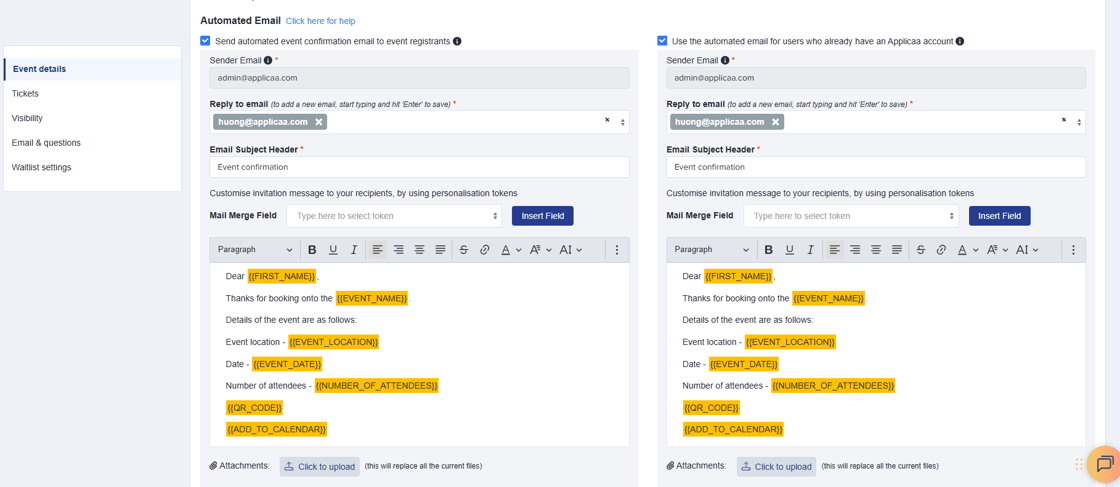
You can now edit event confirmation emails directly within the Add/Edit Event form - just like in the Meetings section - rather than in the Communications area. Each email will get its own editable default template, complete with tokens for event details, QR codes, and "Add to Calendar" links. This means no more switching between forms or hunting for templates.
Add events to calendar
This enhancement allows you to add an "Add to Calendar" token into event confirmation email templates, so that attendees can easily save events to their preferred calendar (Google, Outlook, Apple, iCal). The calendar entry will include the event name, date/time, description and location.
.png?upscale=true&upscale=true&width=1033&height=789&name=add%20to%20calendar%20-%20gmail%20(1).png)
New user permissions for those helping with event registration
We've introduced an even simpler way to use QR code functionality at events. Helpers (students or staff) will be able to scan guest QR codes directly from their own mobile device - without needing access to Admissions+ - via a secure web page. Access will be limited to scanning and marking attendance only, making it easier to involve more people in guest registration while keeping sensitive data protected. Simply click 'Mobile Scanning' in the Events tab to get started.
.png?upscale=true&upscale=true&width=1044&height=299&name=Mobile%20scan%20(1).png)
Improvements to the event booking form
We've updated the event booking form so that the event description now appears at the top of the form, right under the event details, so attendees can see what the event is about before filling in their booking information.
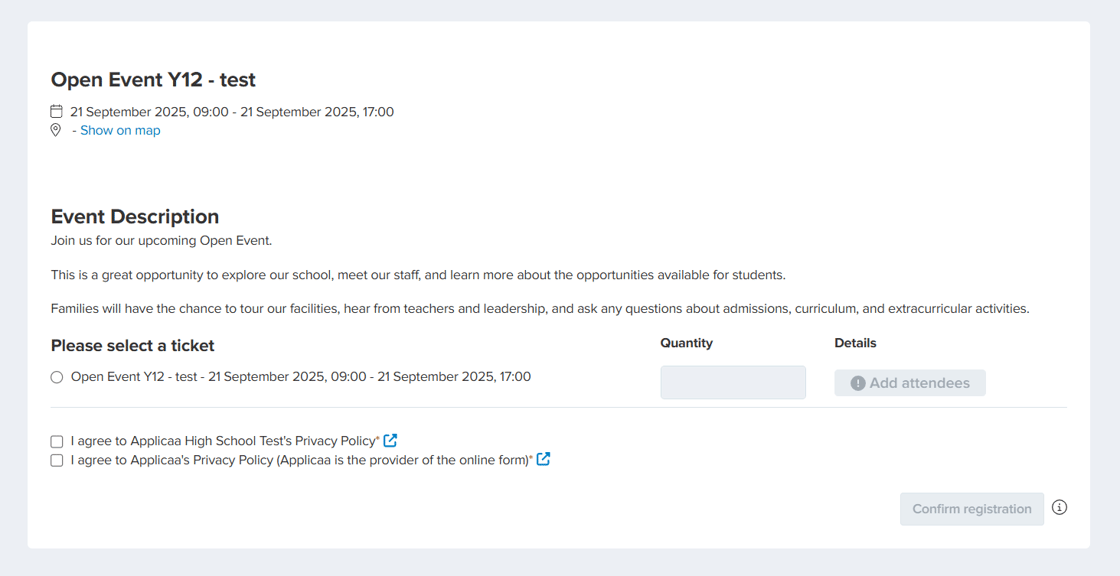
This update is an interim step as we prepare for bigger improvements to the event booking form. Soon, the design will be sleeker and it will be clearer for attendees to book places on behalf of others - making it easier for schools to know exactly who to expect at their events.
More control over event notifications
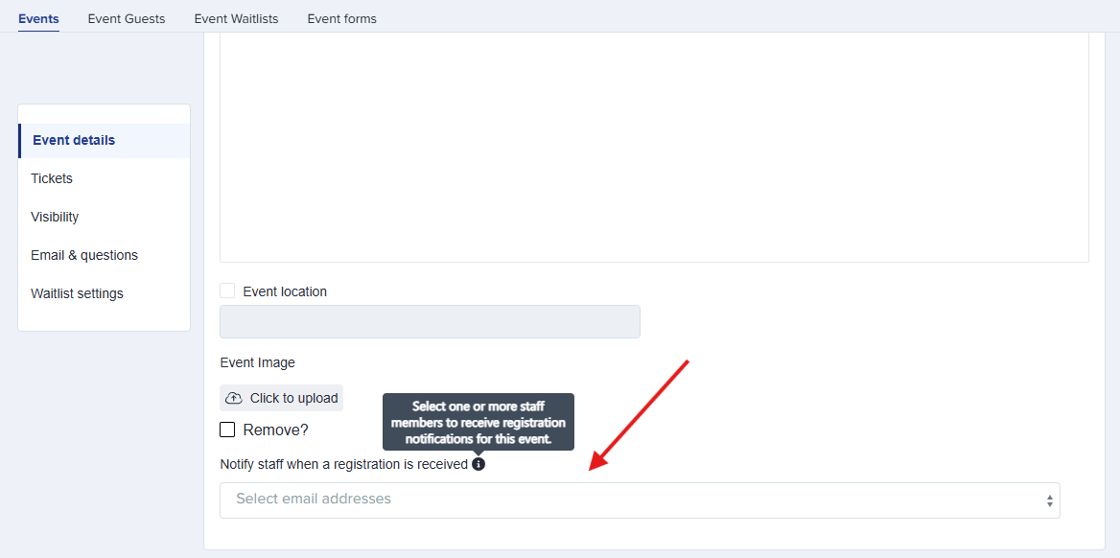
We've made it easier to keep the right people in the loop when new event registrations come in. Staff can now choose exactly who should receive registration notification emails on a per-event basis. You can find this option in the Add/Edit Event form, in the Event Details section. Recipients of this will receive the email template 'Notify Teacher about event register' which can be enabled and edited in Communications > Automated Messages.
Event name and date now in Event Guest table
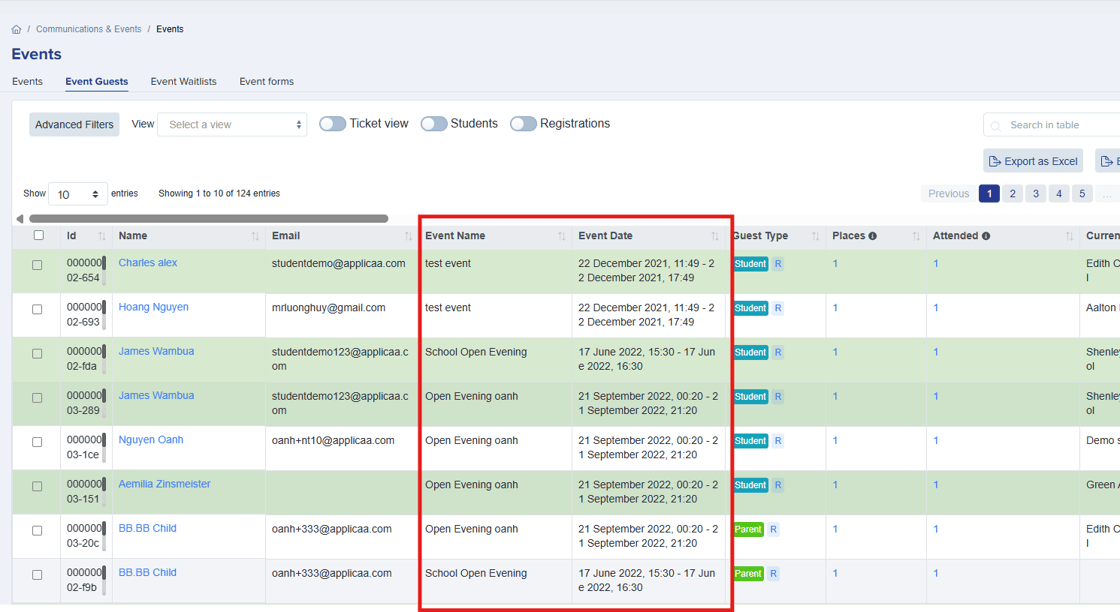
We've added new Event Name and Event Date columns to the Event Guest table. These appear between the Email and Guest Type columns and can be sorted (alphabetically by name, chronologically by date) to help reduce confusion when managing multiple events.
Event guests included in Global Search
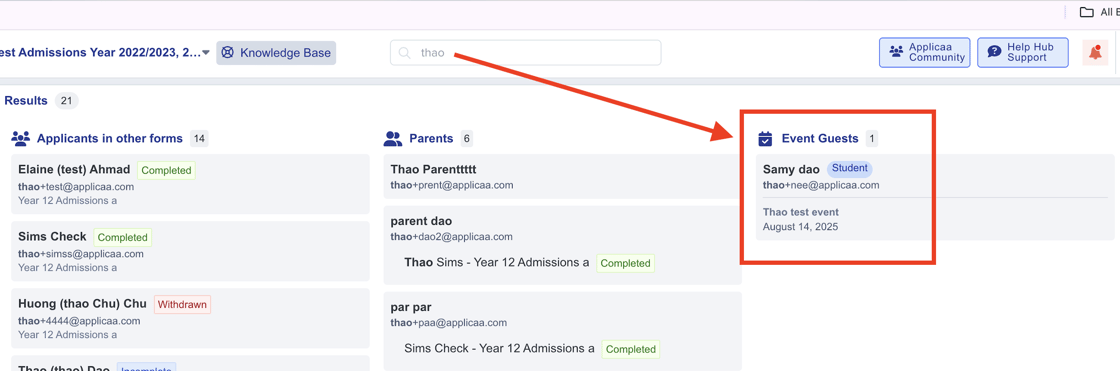
You can now search for event guests in Admissions+ main search bar, even if they haven't started an application or created an account. Guests appear in search results under a new 'Event Guests' section - each result shows the guest's name, email, guest type and their most recent event. Clicking a guest takes you straight to the relevant event guest list for quick access.
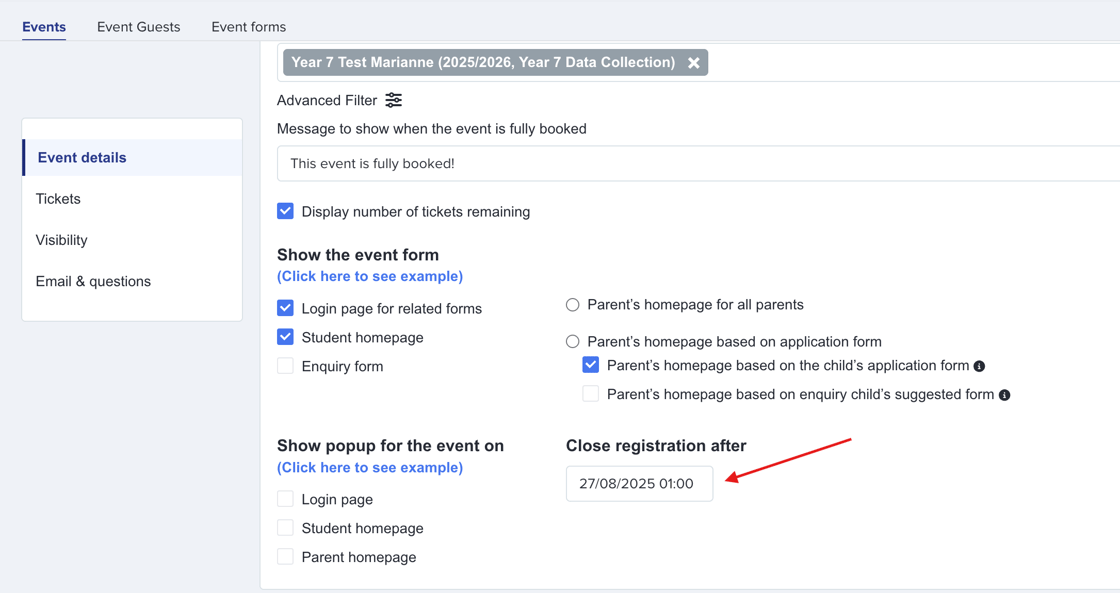
Ability to close registration without unpublishing event
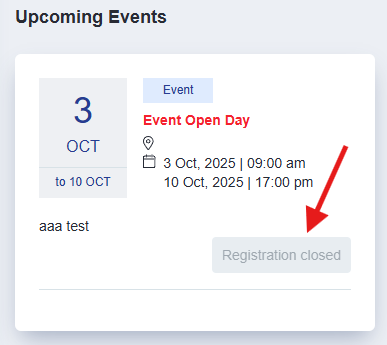
You can now set a registration deadline in Admissions+ to close new sign-ups in 'Event details' without unpublishing the event. After the deadline, applicants will still be able to view event details in their dashboard or online, but it will include a clear "Registration closed" message.
Reformat token for event emails
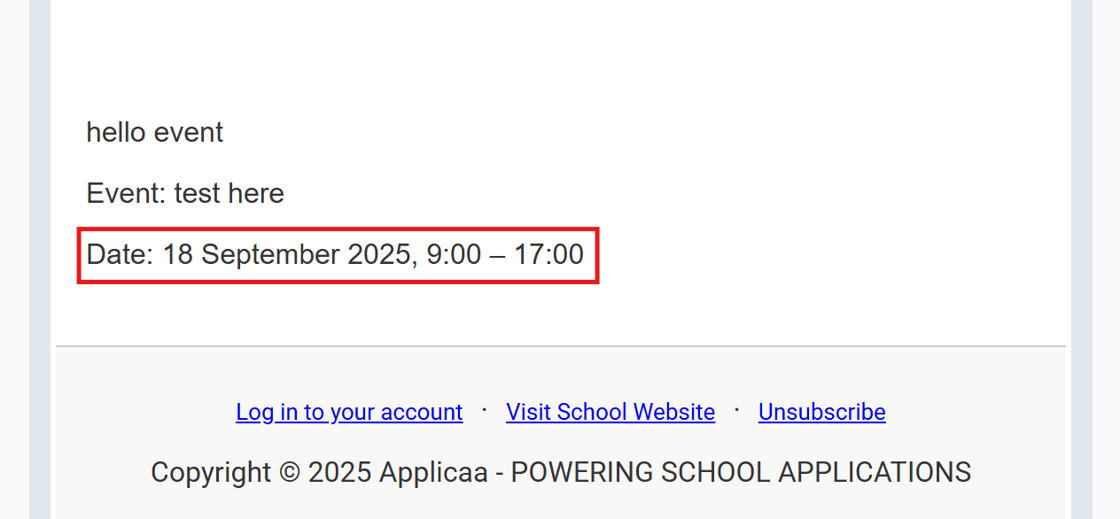
We've updated how event dates and times display in emails to make them easier to read at a glance. Instead of repeating the date (e.g., 18 April 09:15 – 18 April 10:15), emails now show a cleaner format like 18 April, 9.15 – 10.15. For multi-day events, both dates still display in full. This change applies across all event-related emails, including confirmations, reminders, and waitlist notifications.
📝 Application Form
Add text explanation or hyperlink to consents
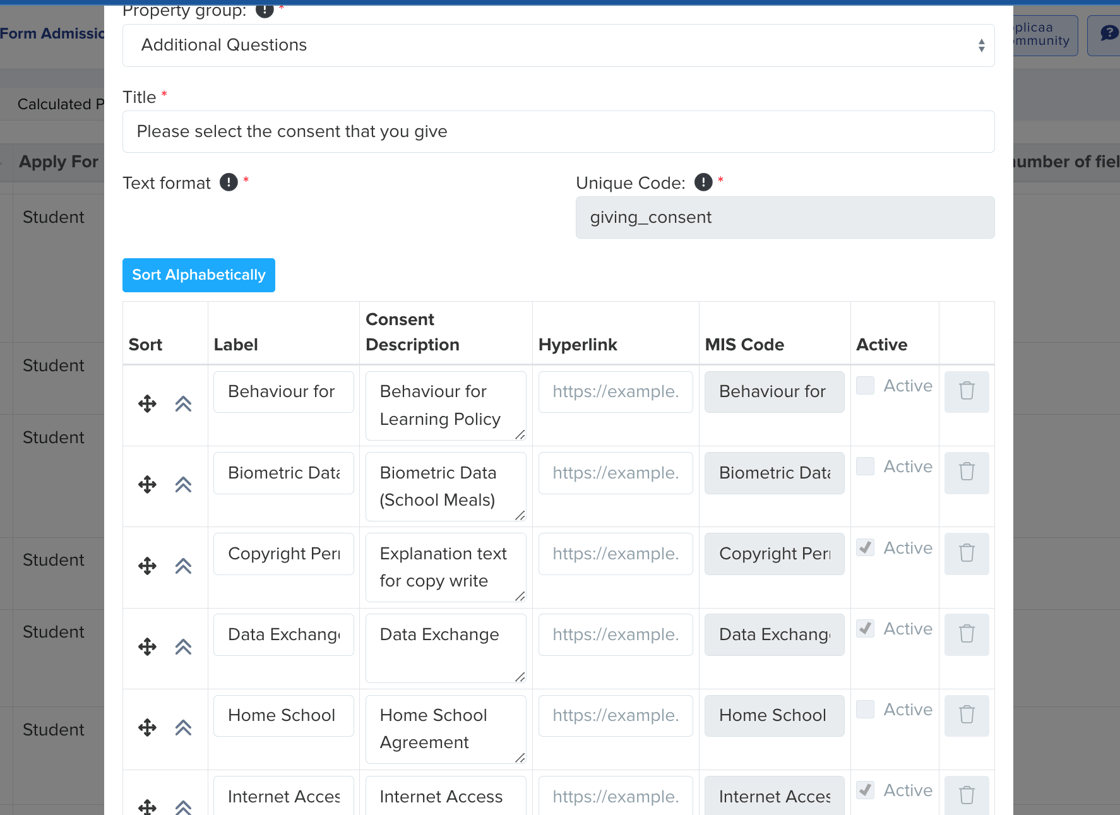
We've updated school consent forms to make them clearer and more informative. You can now add hyperlinks to detailed information or policy documents for each consent, and use an expanded description field to provide longer, easier-to-read explanations.
Crop avatars and student photographs
We've introduced photo editing tools to make it easier to upload correctly formatted images. Staff can now crop and rotate photos when adding them to the system, helping ensure profiles look right without using external tools.
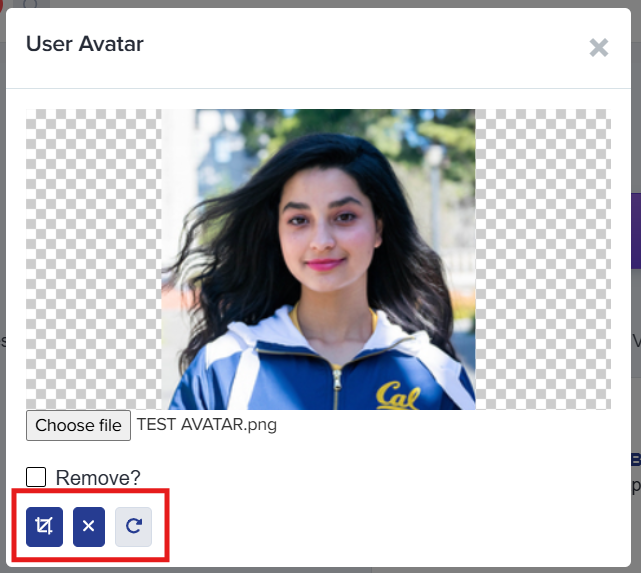
*COMING SOON*
This is currently only available when a staff member adds a photo but we plan to expand the functionality so it's also available when staff edit existing photos. We will also allow applicants to crop their own photos during the application process and add rotate image options.
📌 State Schools Only
Faster editing of student subject choices
We've made it easier for staff to manage student subject selections. Instead of impersonating a student, staff can now edit subject choices directly from the student profile. This works just like the existing Taster Day module and allows staff (with the right permissions) to add, remove, or change subjects quickly and seamlessly - saving time when managing multiple students.
.png?upscale=true&upscale=true&width=1120&height=561&name=image%20(47).png)
.png?upscale=true&upscale=true&width=1120&height=607&name=image%20(48).png)
Comments