



For All - State & Independent Schools
💻General
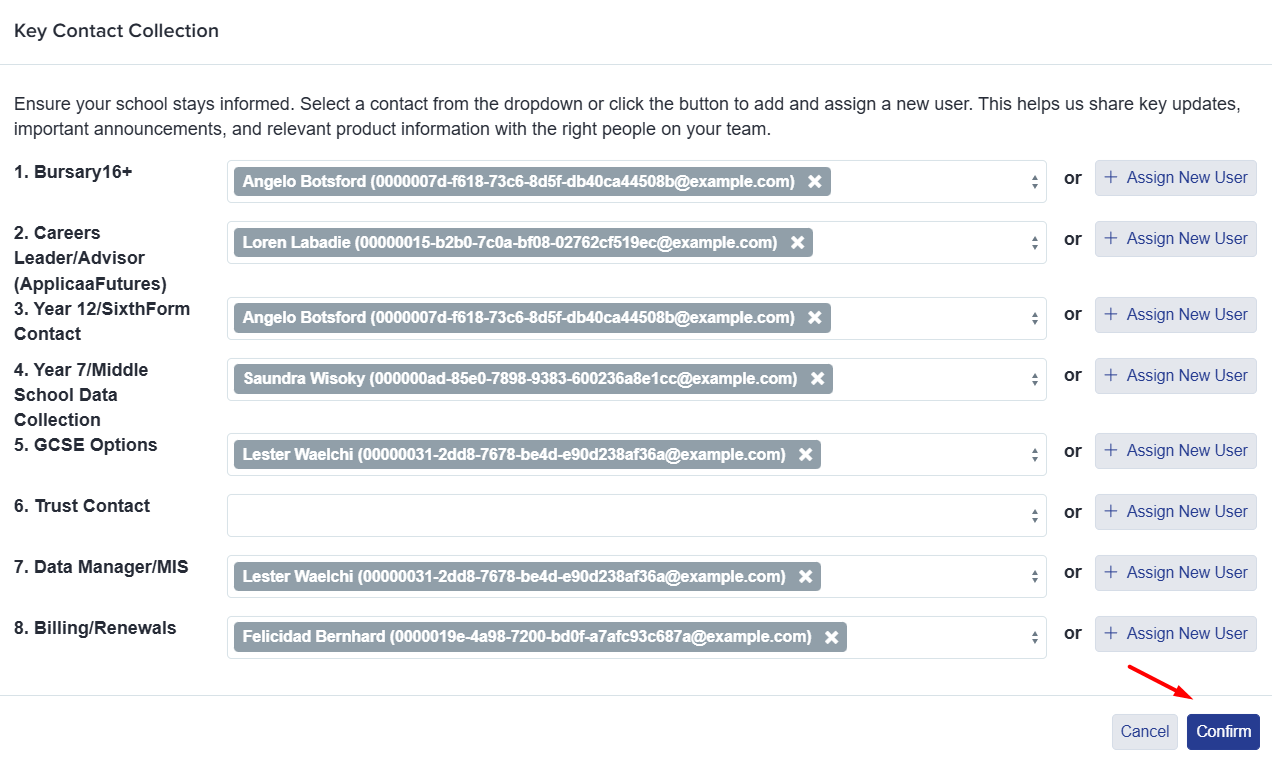
Limit frequency of Key Contacts pop-up to once every two months
The Key Contacts pop-up can now be temporarily paused for two months by clicking Confirm, even if some fields are not yet completed.
Please ensure that when the pop-up does appear that all the contact has been completed, so we have the correct contact details for each leader in your school.
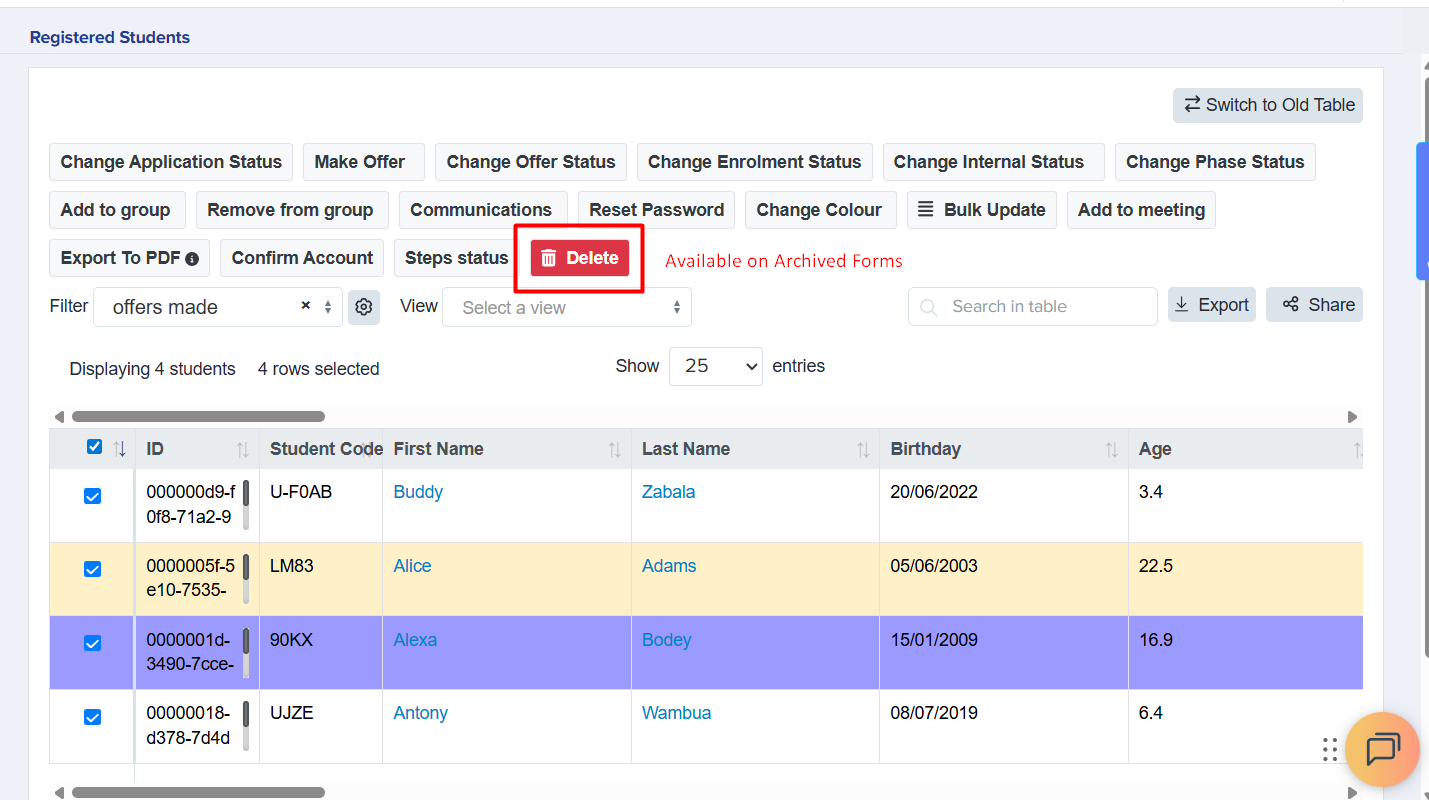
 Bulk delete applications
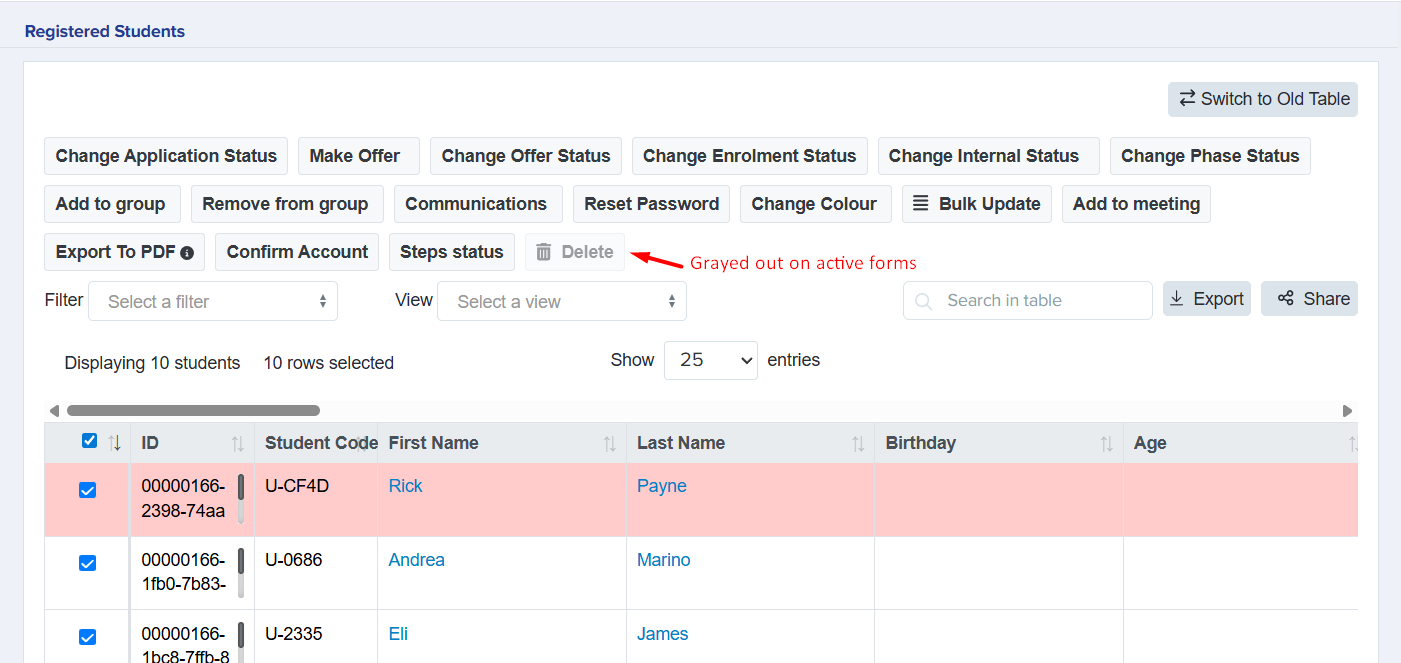
A delete button has been added to the student table, allowing users with Super Admin permissions to delete archived applications in bulk.
- The button is only active for archived forms.
- Once deleted, the action cannot be undone, so users should exercise caution.
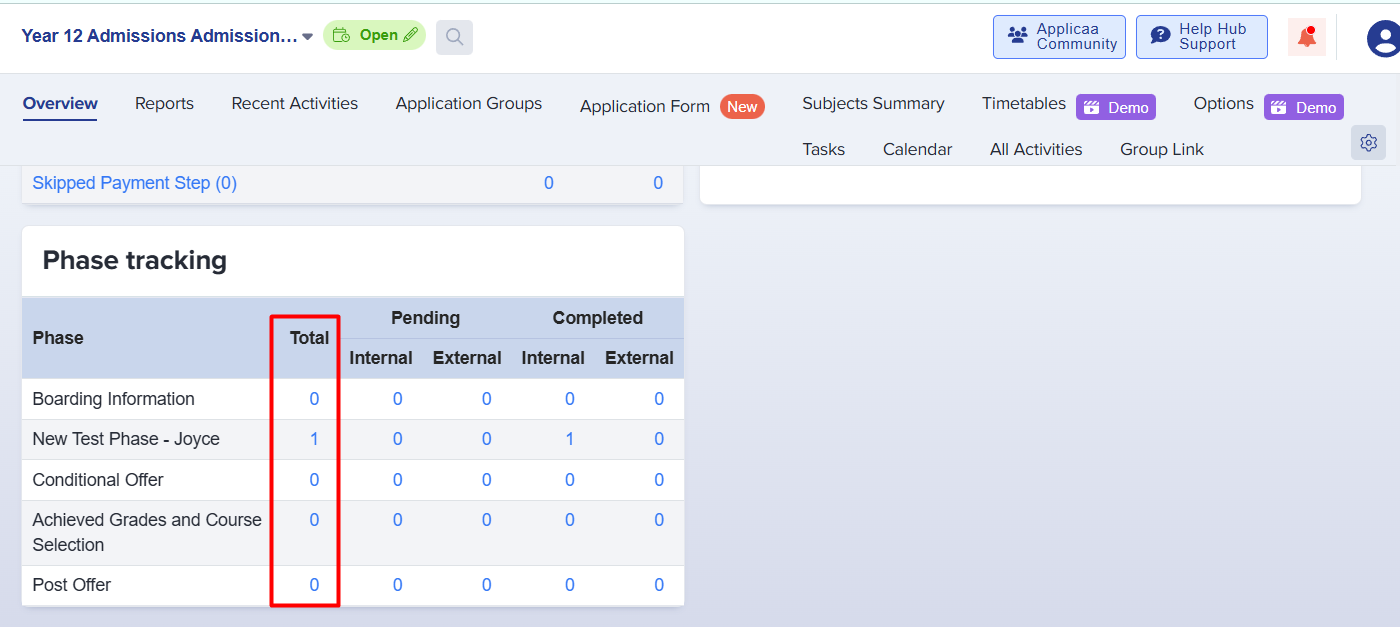
Phase tracking totals
A ‘Total’ column has been added to the Phase Tracking section, making it easier to monitor and track overall progress at a glance. The totals are hyperlinked and will route users to the list of students included in that total when clicked.
This improvement provides a clear summary of totals across phases and allows quick access to student lists, helping staff efficiently manage workflows.
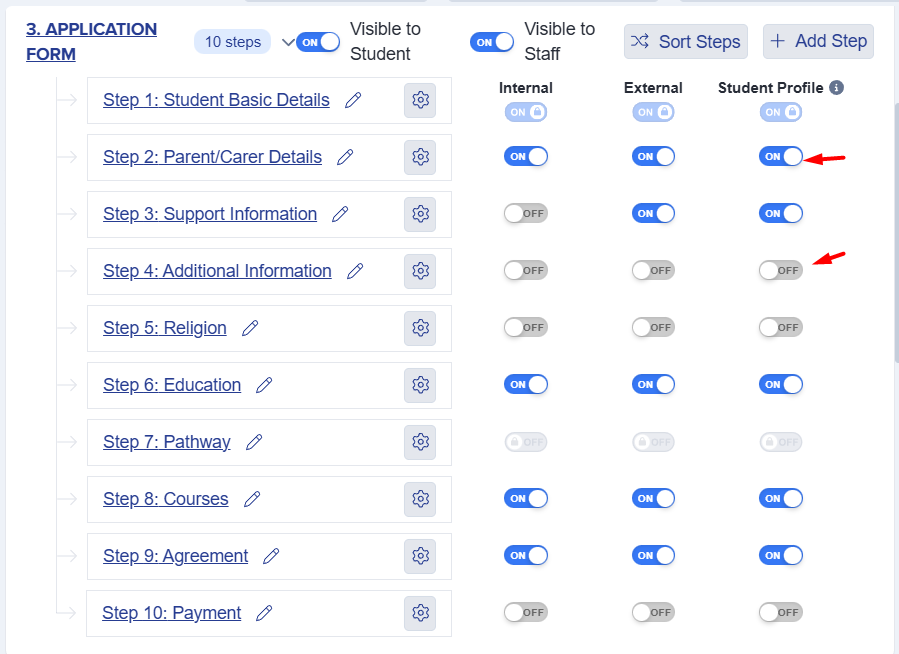
ON/OFF label on toggle buttons
Toggle buttons throughout the system have been updated to display ON/OFF labels, providing improved clarity and making it easier for users to understand the current status of each setting.
📁Student profile
Show student's email address and mobile number on homepage
Student’s mobile numbers and email addresses now appear on their homepage when they log in. If a student has both a personal and school email, both will be displayed and clearly labelled for clarity.
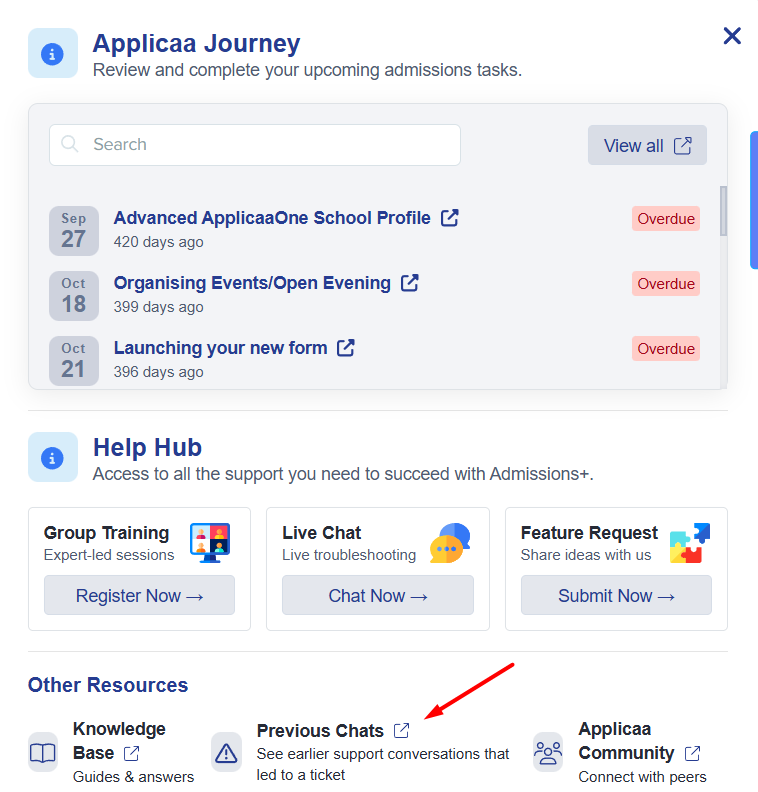
Ticket visibility restored in Help Hub
A ‘Previous Chats’ feature has been added to the Help Hub, allowing users to view prior chat conversations that resulted in ticket creation.
💬Meetings
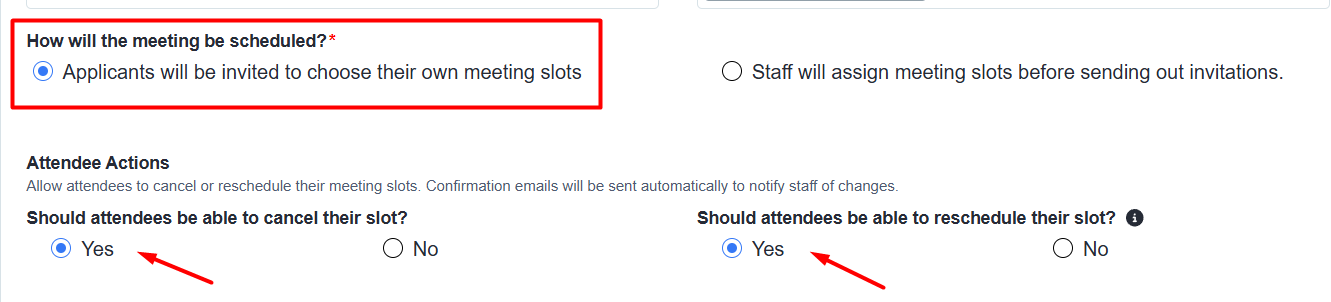
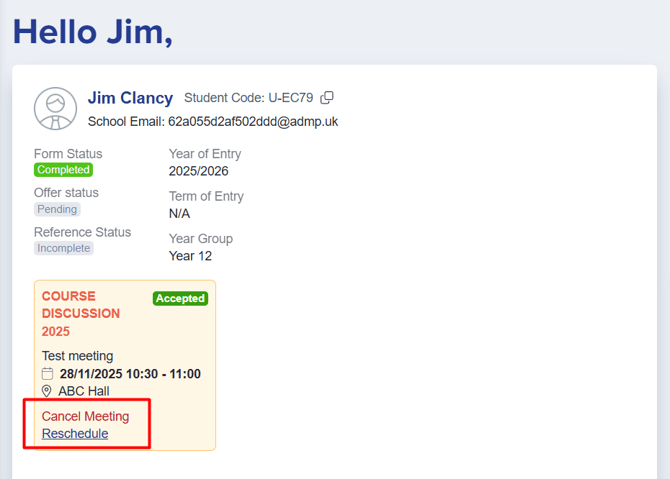
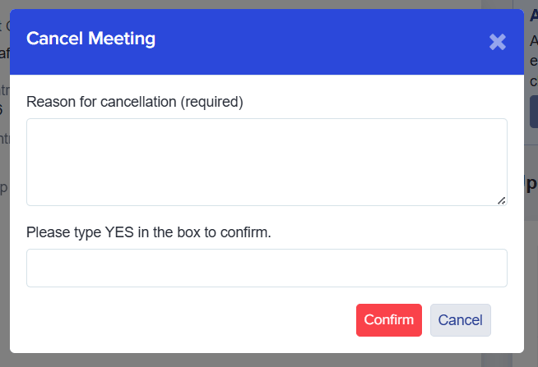
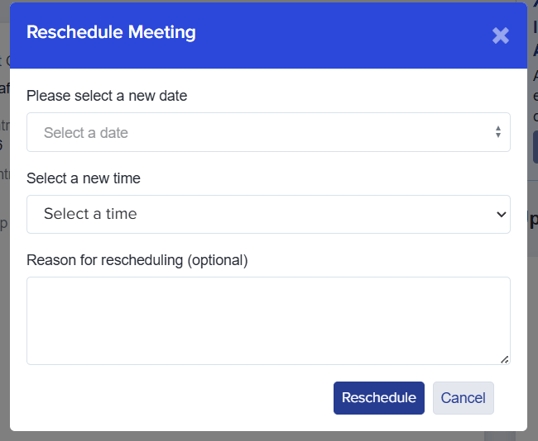
Self-cancel or re-schedule meeting slots
Students can now self-cancel or re-schedule their meetings and provide a reason for the change. Re-scheduling is only available when the meeting is configured to allow attendees to choose their own time slot.
Staff notification for cancelled/rescheduled meetings
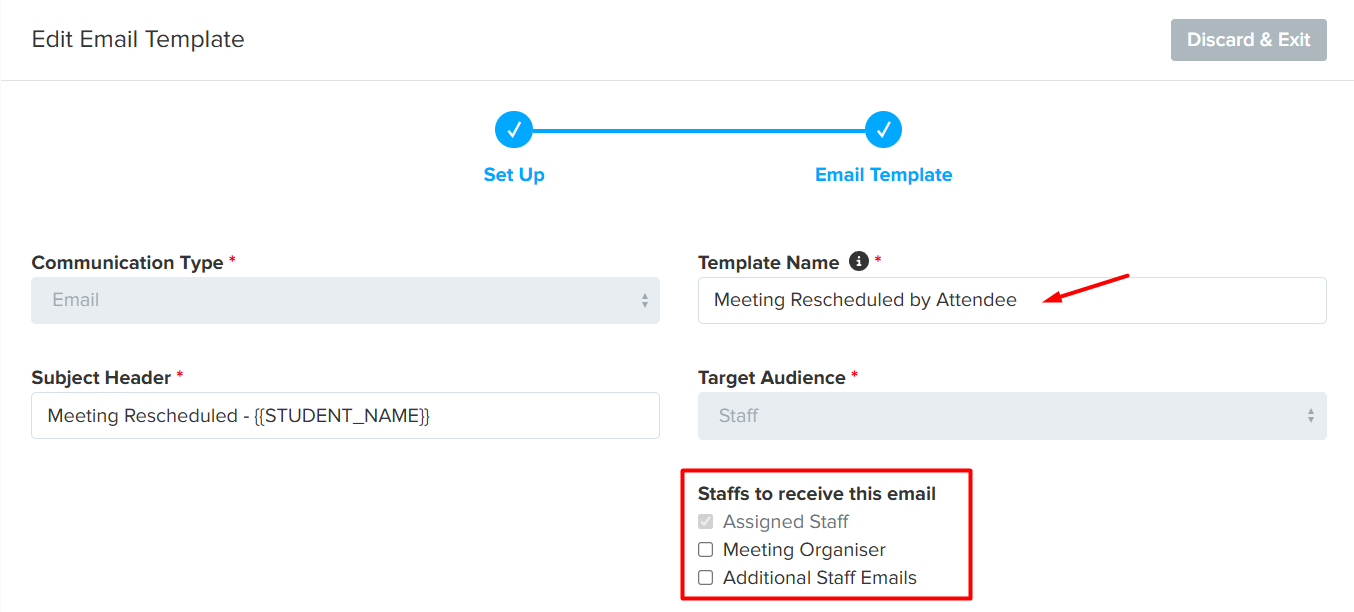
You can also specify which staff members receive an email notification when students reschedule their meeting.
This is configured in the ‘Meeting Rescheduled by Attendee’ email template.
⬆️Exports
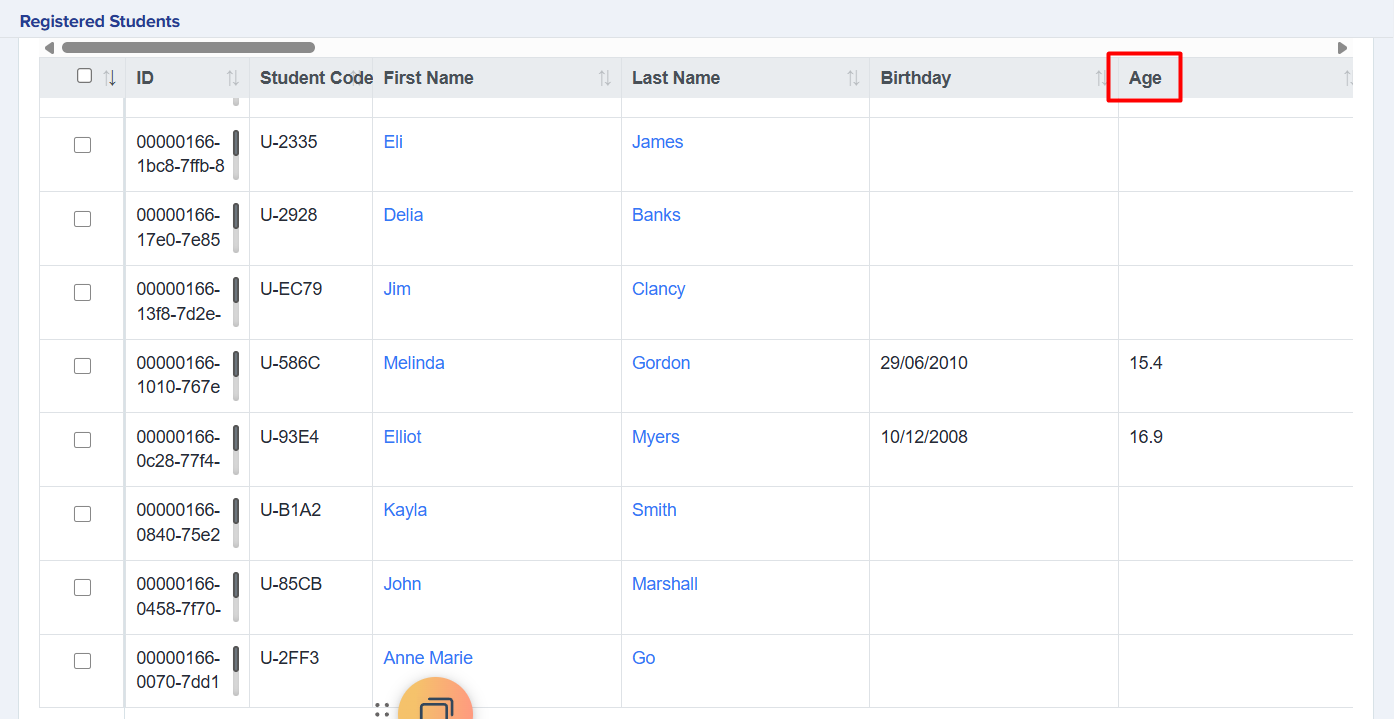
"Age" property as a separate exportable field
The Age property is now available in the system and can be:
- Added to the student table
- Included in exports
- Used as a filtering option
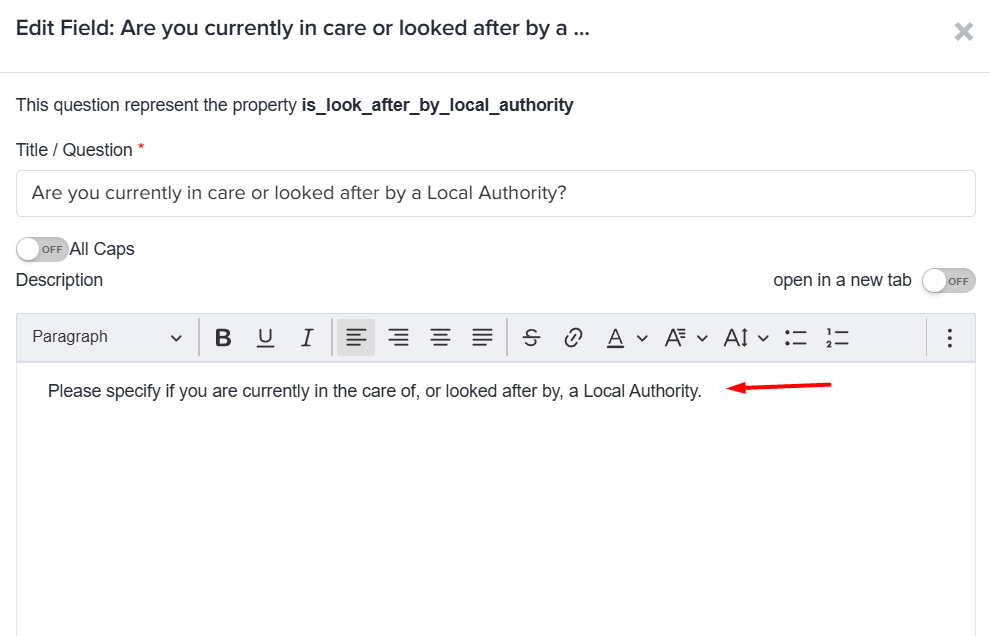
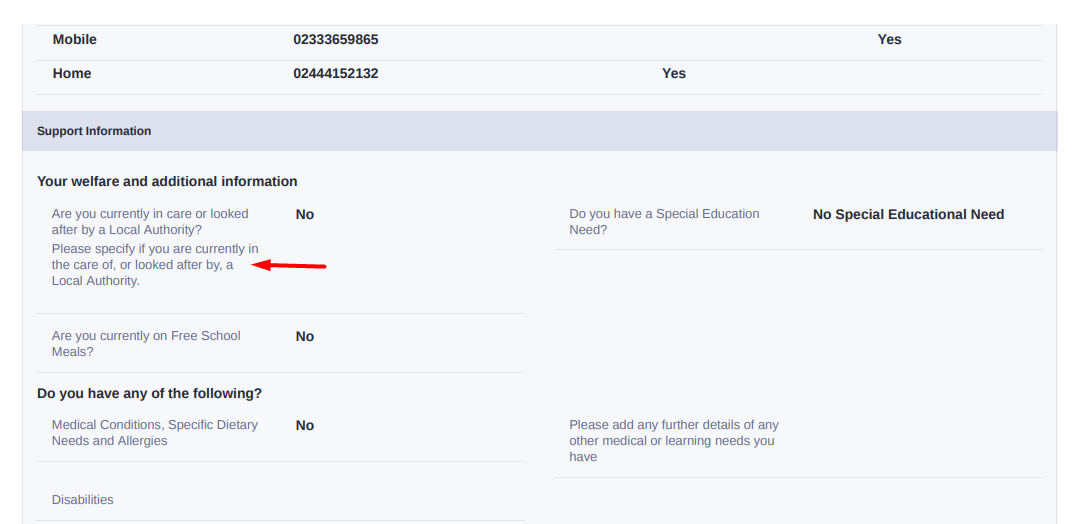
Show description on PDF
Question descriptions are now included when downloading a PDF copy of application forms. This ensures that all context and guidance provided in the form is visible in the PDF version, making it easier to review or share completed forms.
📌 State Schools Only
🔢Options
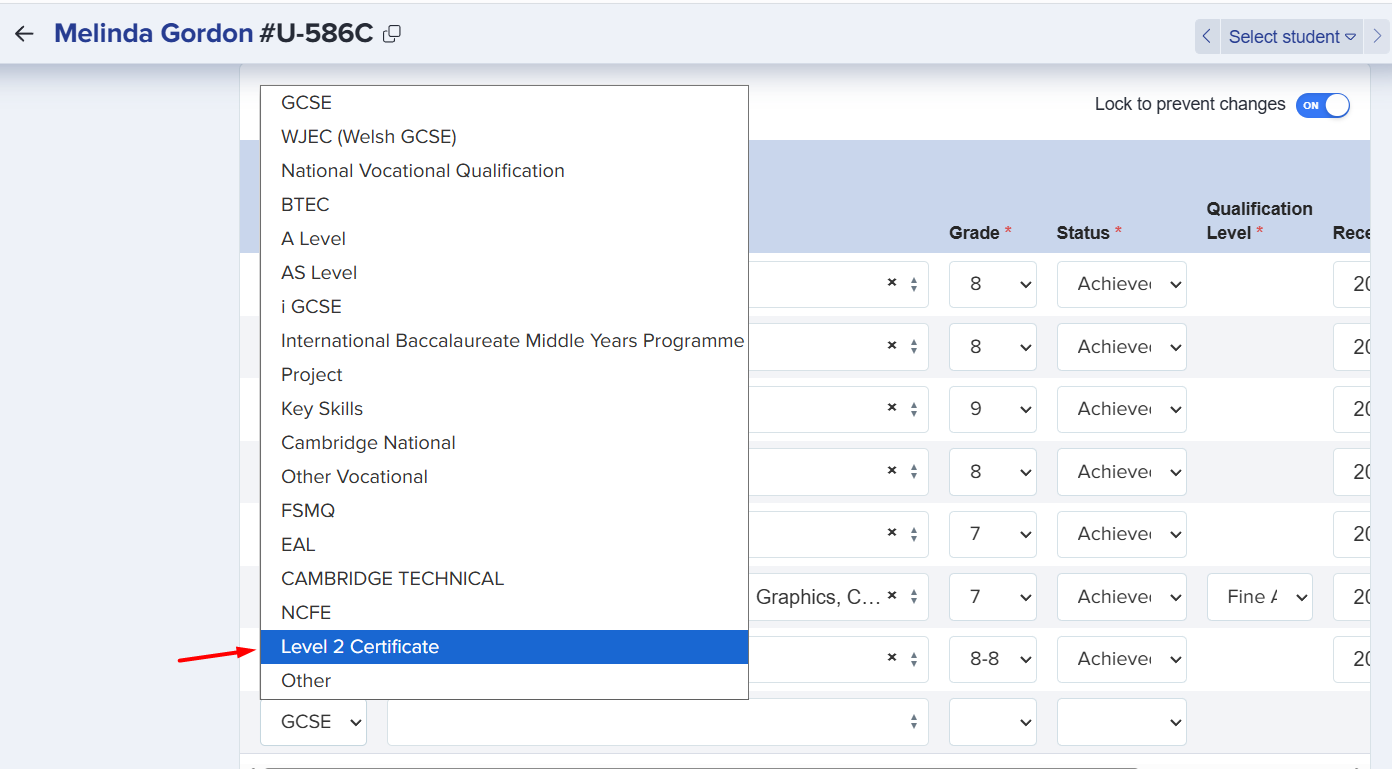
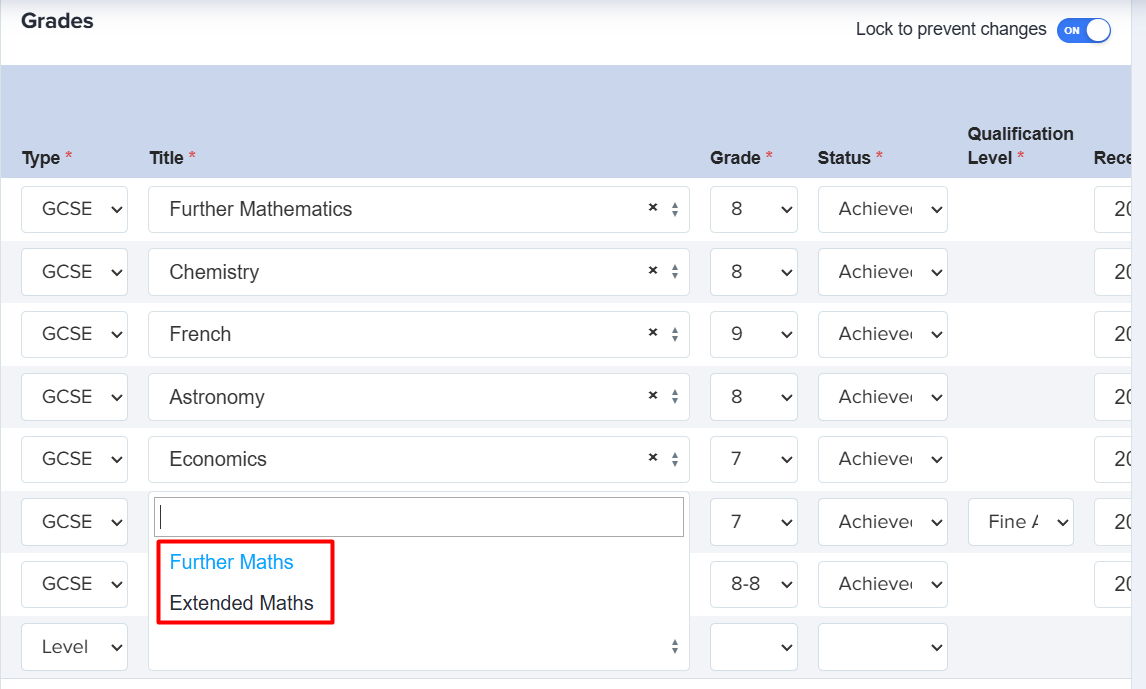
Add Level 2 Certificate qualification category for Further Maths and Extended Maths
You can now record grades for Further Maths and Extended Maths under the Level 2 Certificate qualification category, using the standard 1 to 9 grading scale.
Add global search for options area
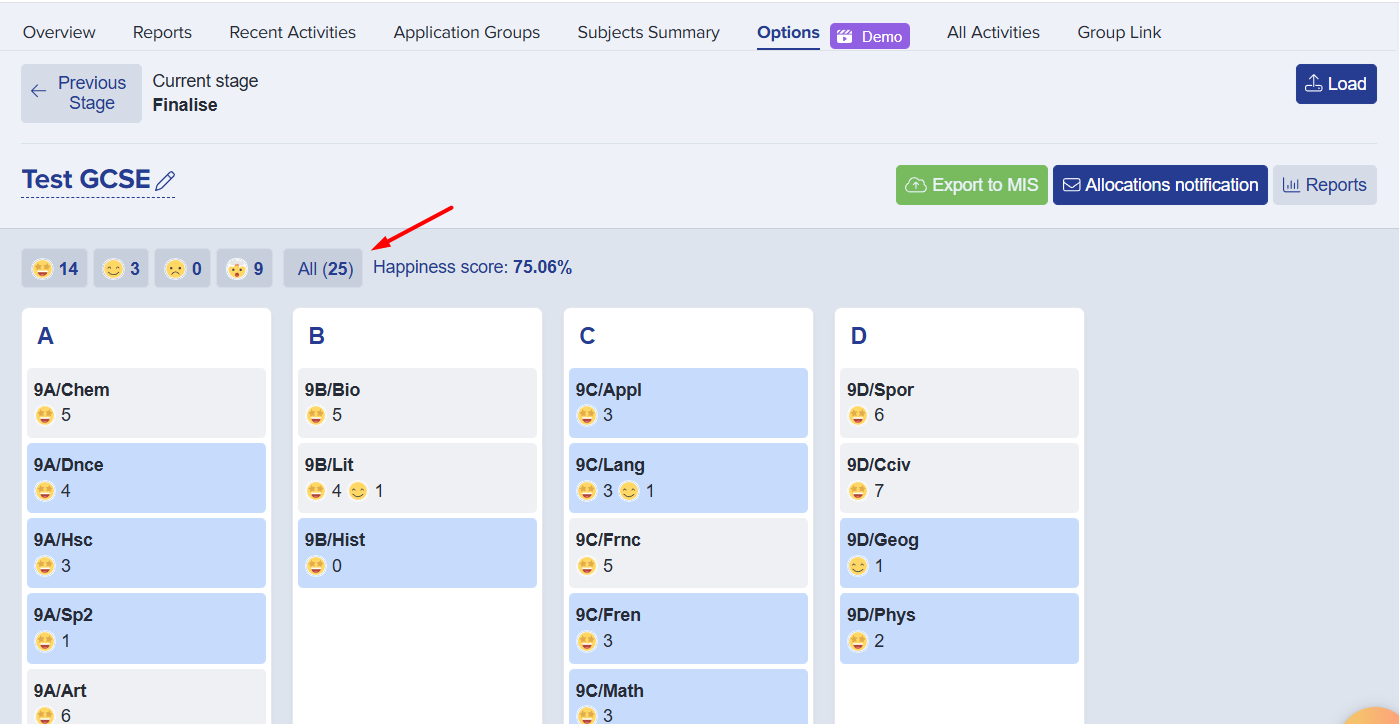
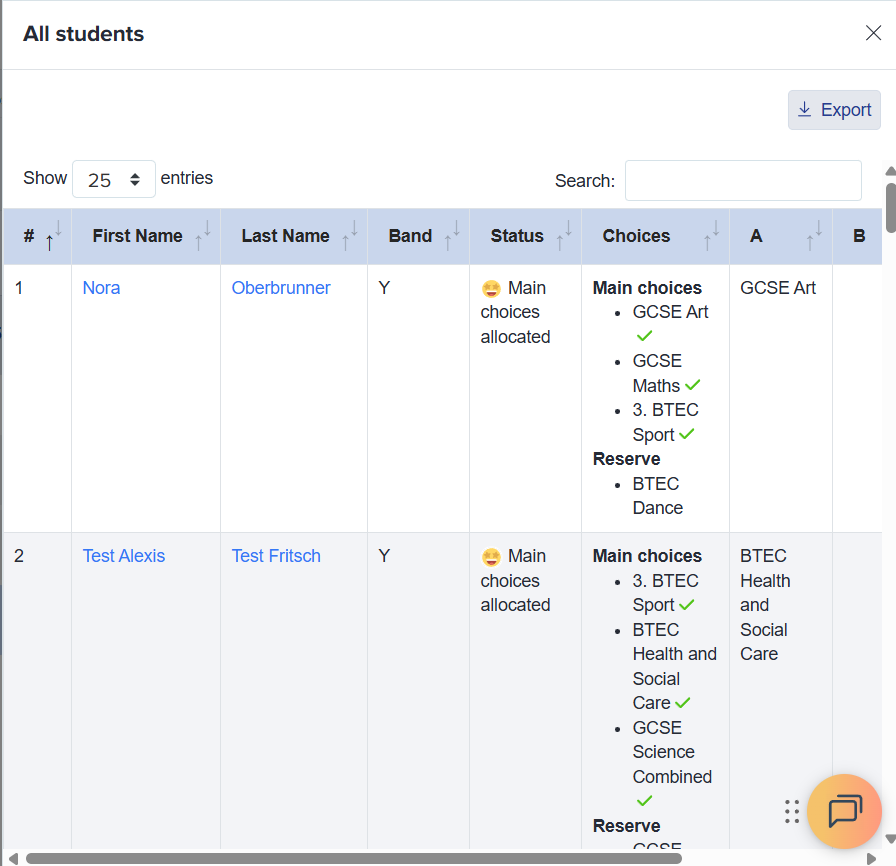
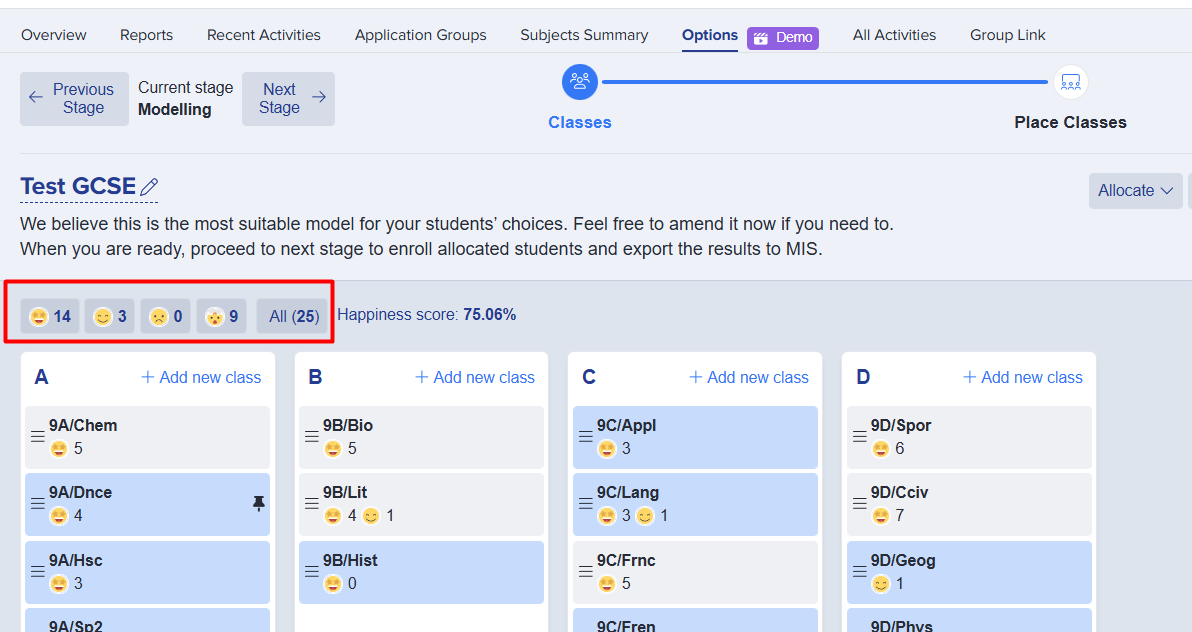
A new ‘All’ button has been added next to the emojis, allowing users to view all students associated with the Options model in one place.
This makes it easier to quickly access the full set of students within Options without having to navigate through multiple filters or categories.
Allow bulk update for class sizes
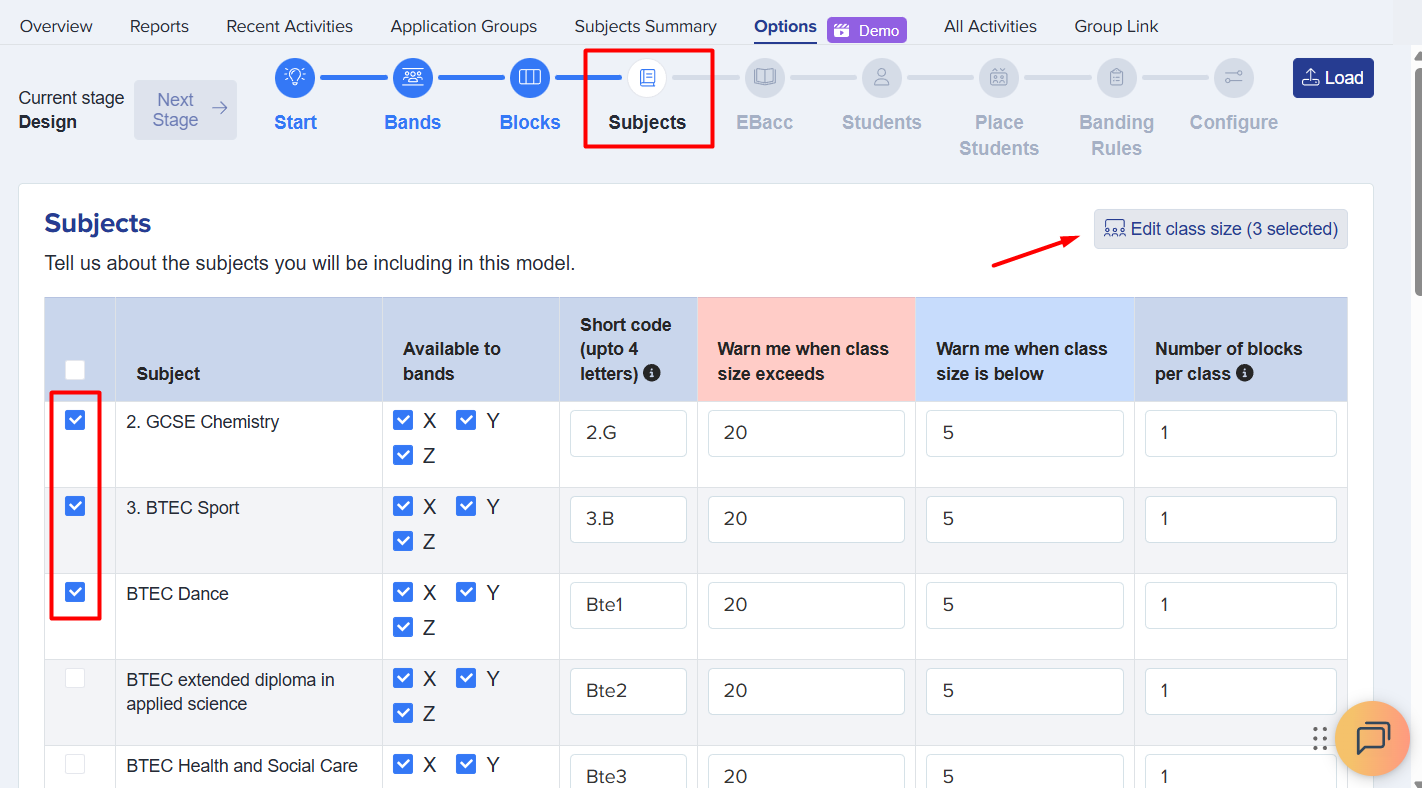
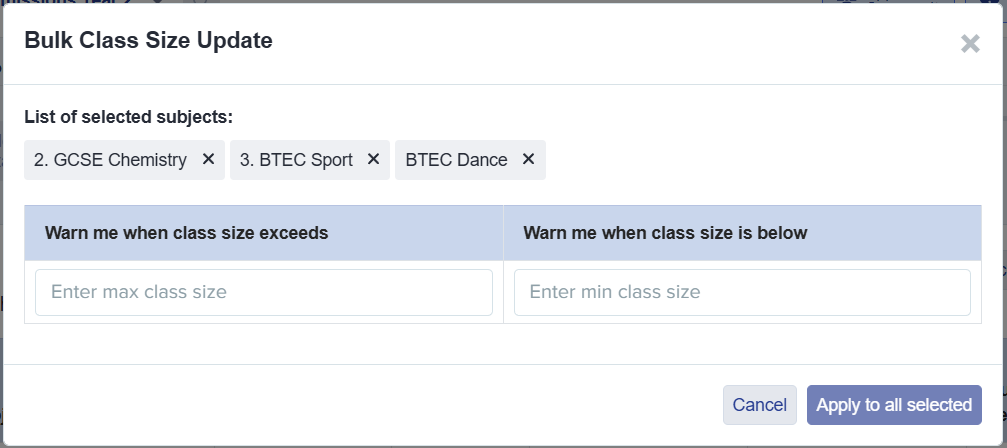
Class sizes can now be updated in bulk using the newly added ‘Edit class size’ button in the Options module. This enhancement saves time when adjusting multiple classes at once, ensuring that class sizes are accurate across the Options model without the need to edit each class individually.
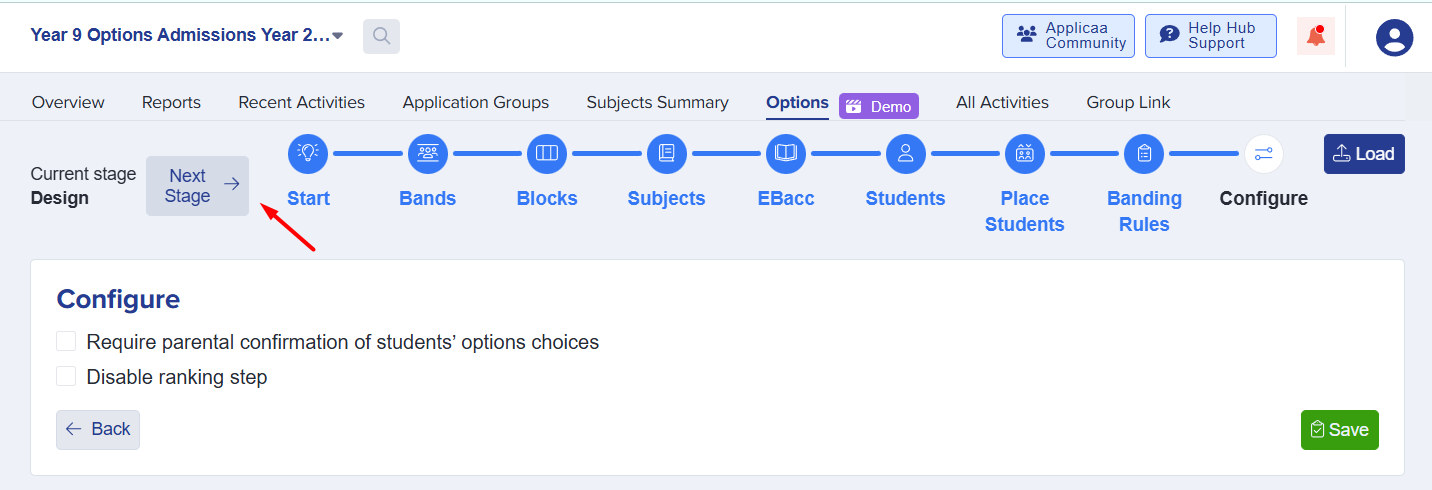
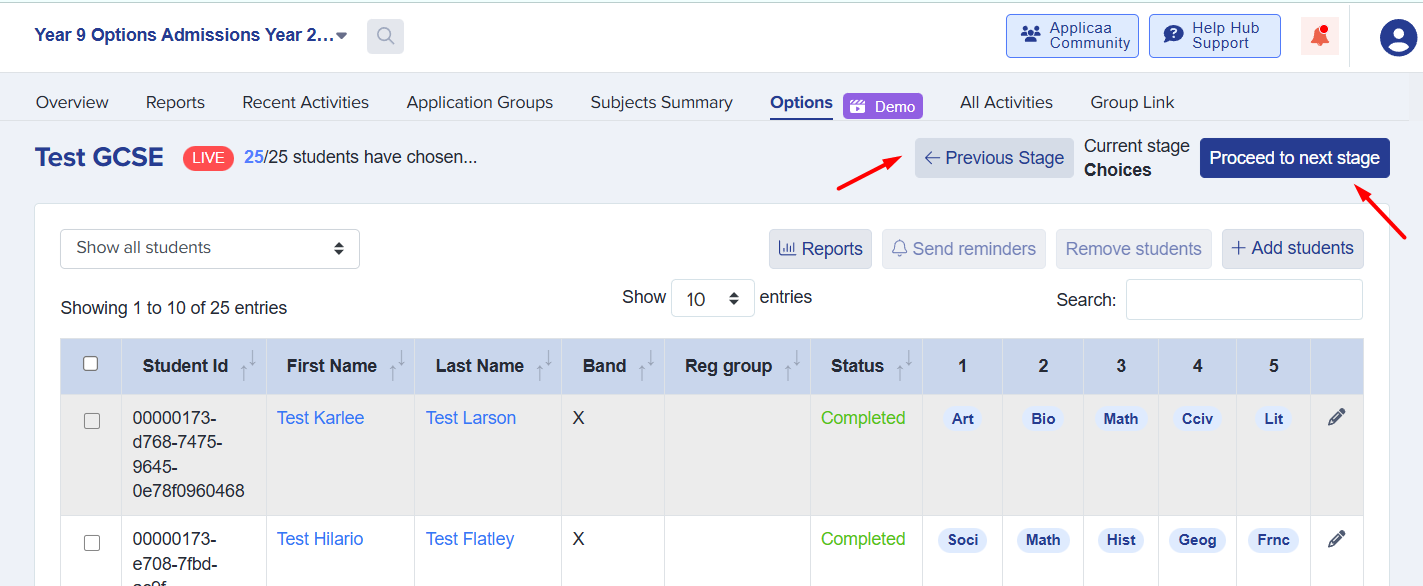
Change arrow buttons to clearly show functionality
The arrow buttons that control progress within the Options module have been updated to better reflect their purpose, making it clear whether an action will publish changes or simply mark a step as done.
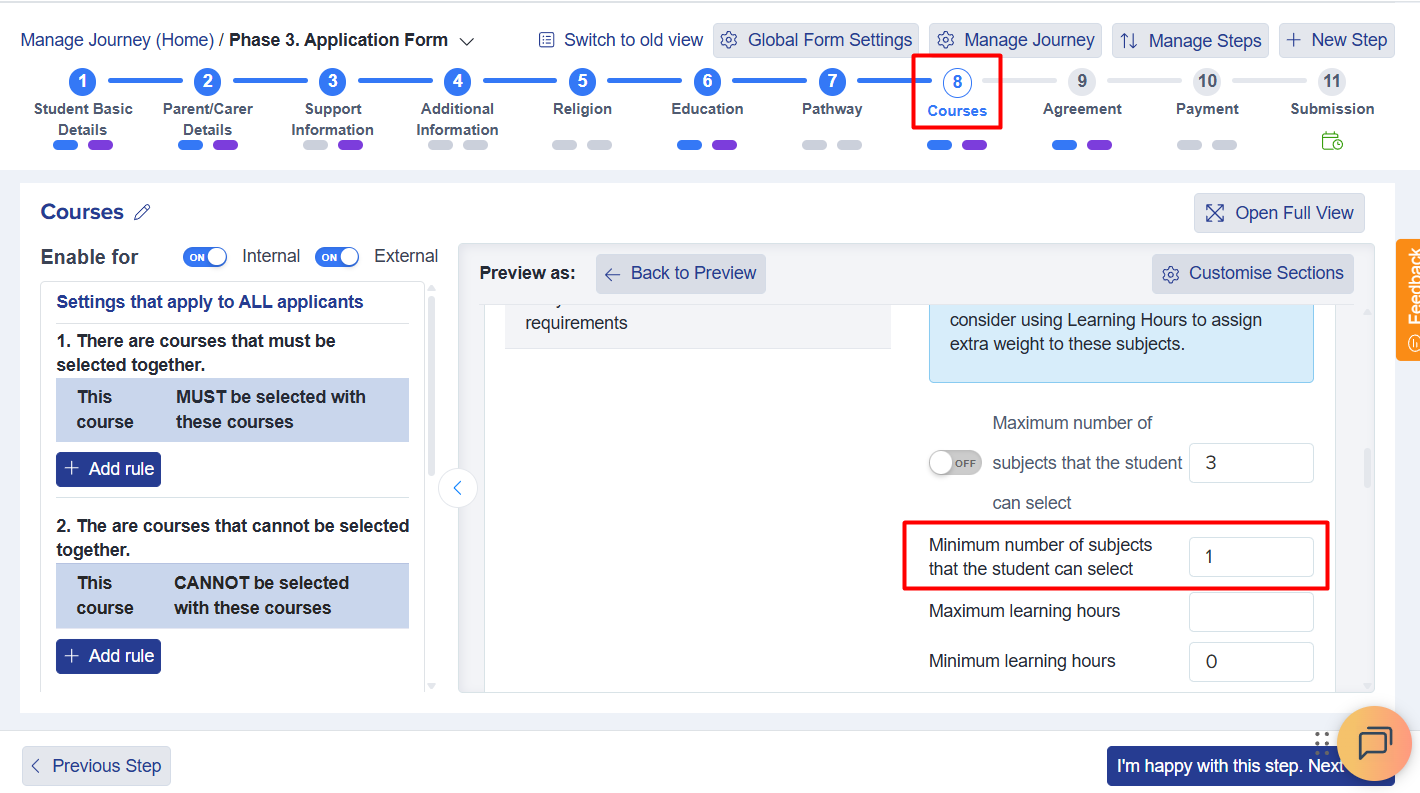
Restrict minimum number of courses from being blank
The minimum course selection is now set to 1 by default, preventing students from skipping the Courses step and avoiding potential validation errors. This ensures that all students select at least one course.
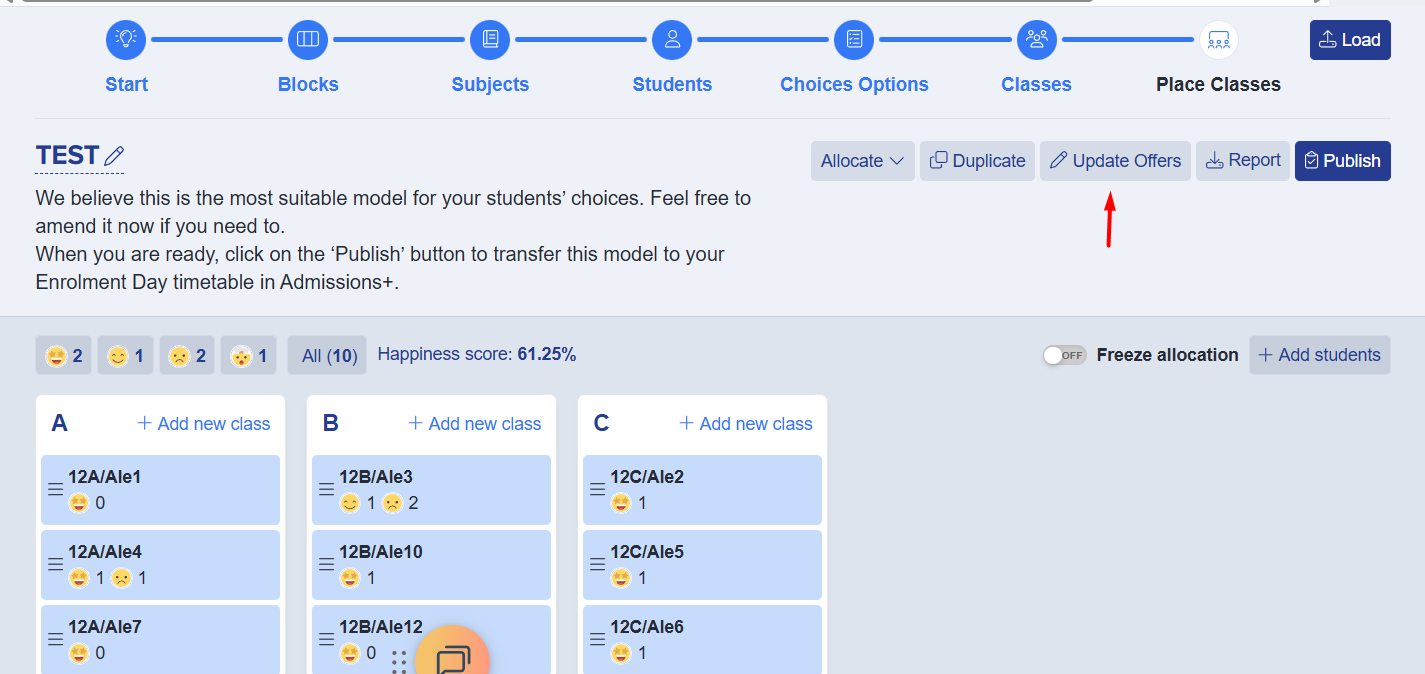
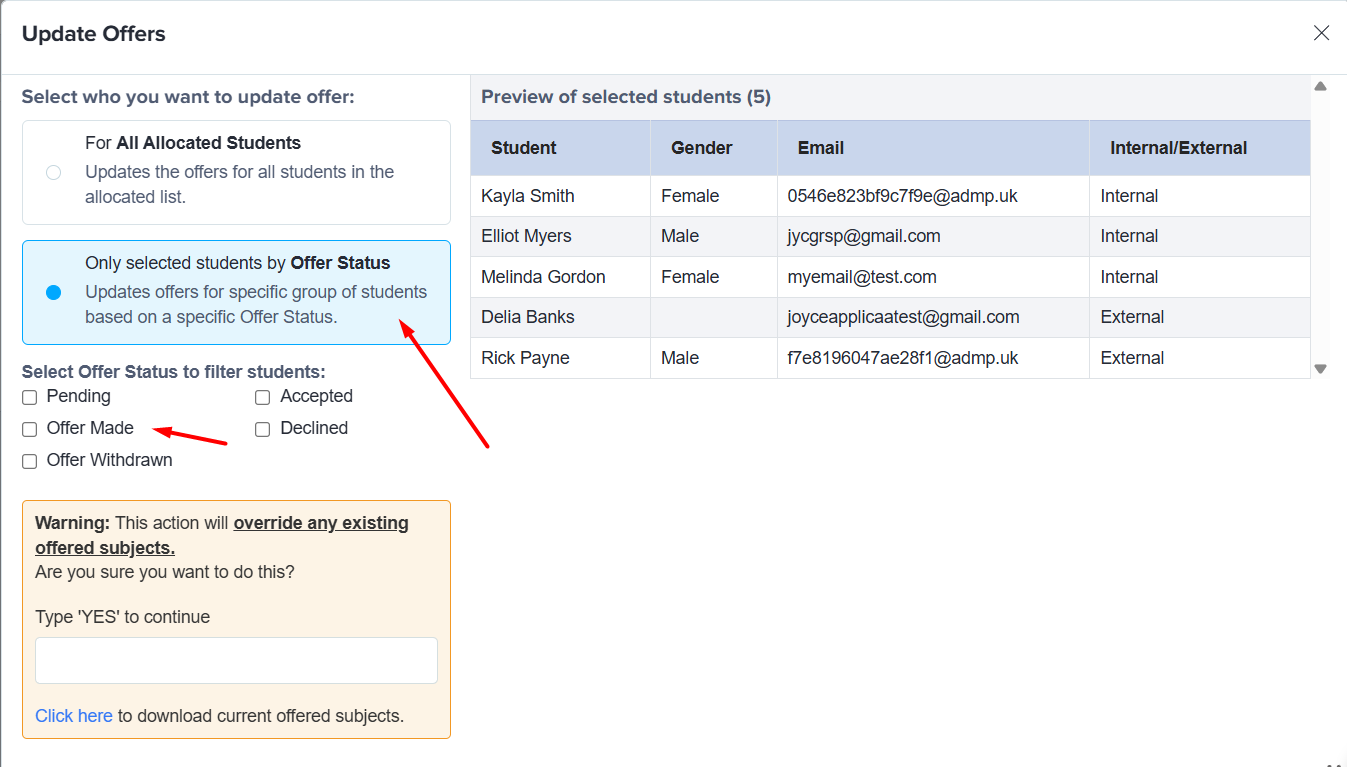
“Made Offer" filter available when updating offers
You can now filter students by ‘Made Offer’ in the Options module when updating offers. This allows you to update offers only for students who have already been made an offer, improving efficiency and ensuring changes are applied to the correct group of students.
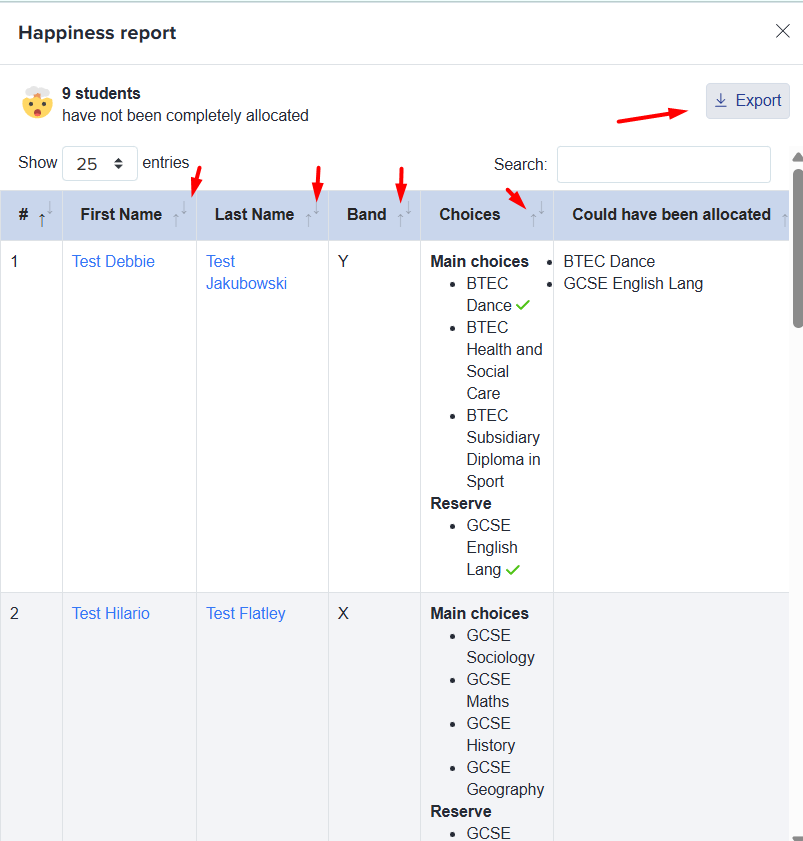
Export and sorting for statuses
Statuses within the Options module can now be sorted and exported for easier review and tracking. Clicking the happiness report icon now opens a detailed list of students, where each column can be sorted using the up/down arrows.
An export button has also been added above the table, allowing users to download the data for further analysis or reporting.
📌Miscellaneous
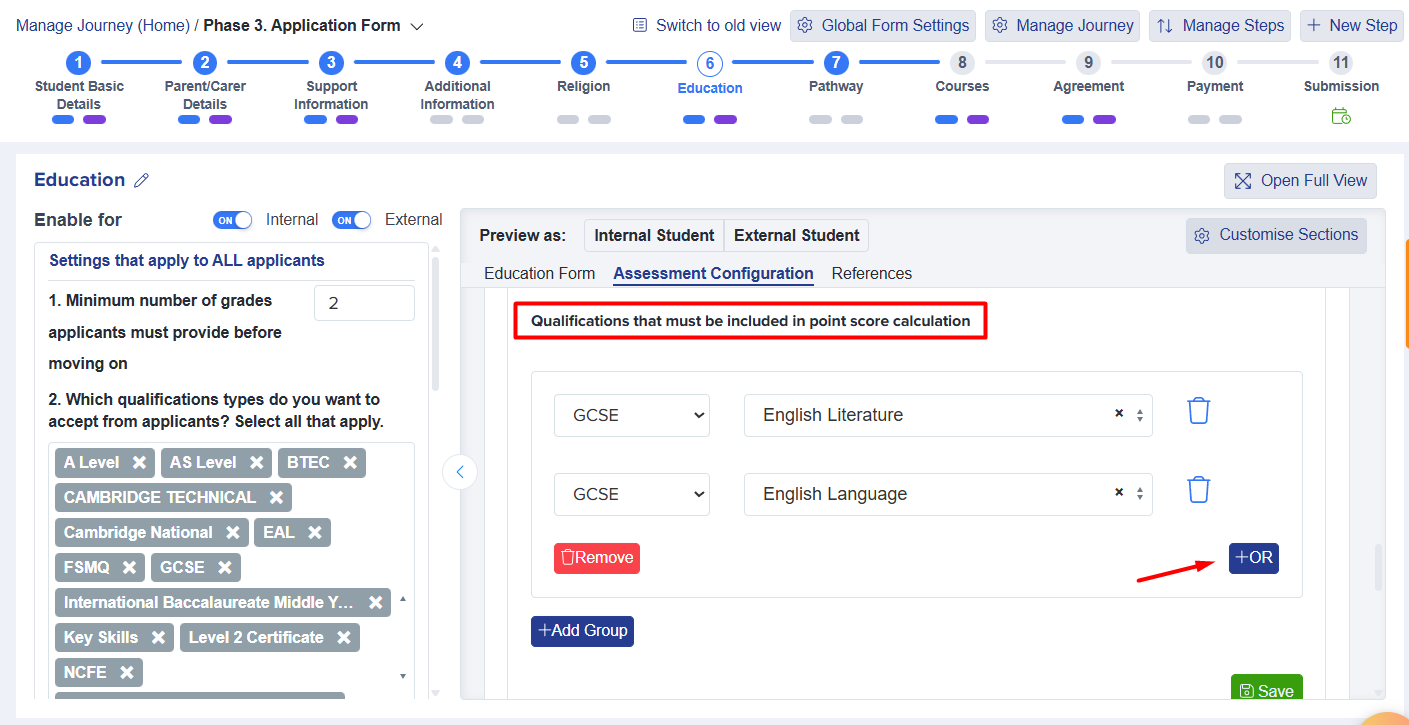
Include “OR” condition in Point Score calculation
Point Score configuration now supports OR conditions, giving you greater flexibility when defining qualification requirements.
This is particularly useful when subjects such as English Language or English Literature can meet the requirement - without needing both to be selected.
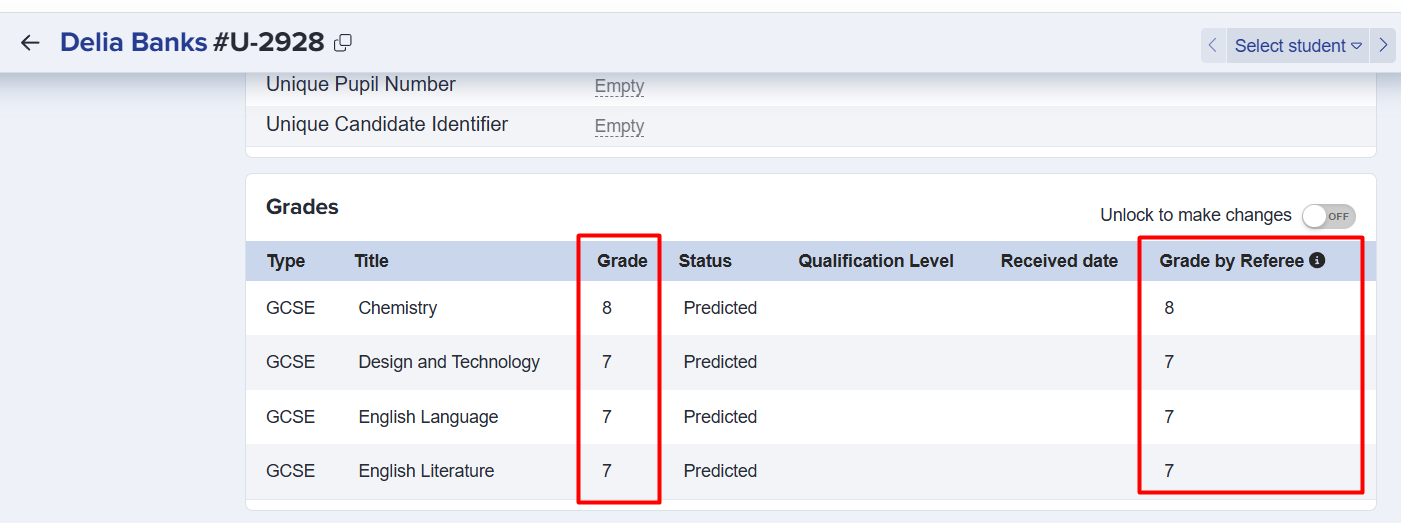
Display student grades in Grade by Referee column when referee confirms grades are accurate
Grades submitted by students will now appear in the Grades by Referee column once the referee has confirmed their accuracy, ensuring that verified grades are clearly visible.
Comments