


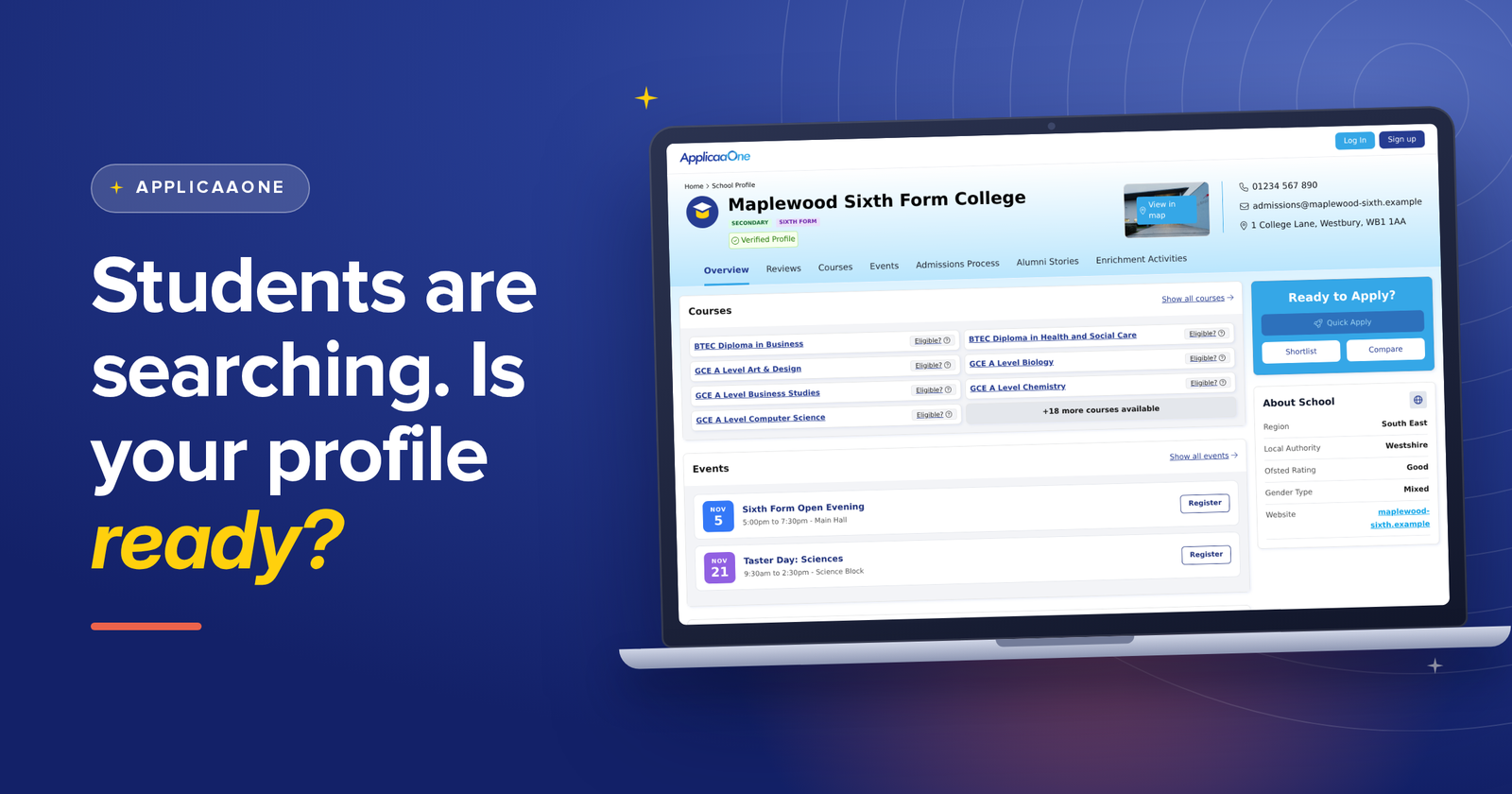
Last year, 517,000 applications were started through Applicaa across 903 sixth forms and colleges, according to our State of Post-16 Admissions 2026 report. Right now, this year's students are doing the thing that comes before every one of those applications: searching ApplicaaOne for their top places of study.
So when they land on your profile, what do they see?
Why now is the best time to do it
It is autumn. Students are researching, shortlisting and planning which open evenings and taster days to go to, so they are deciding where to apply while you read this. A complete profile now is working for you at exactly the moment they are making up their minds.
There is a bigger reason too. Students will soon be able to explore providers and their events using AI. The profiles with the richest, most up-to-date information will have the most to show, so get your page ready before they begin.
What a great profile does for your recruitment
- It attracts the right applicants. Show your courses with their entry requirements and eligibility, so students can see whether they are a good fit before they apply.
- It fills your events. Publish your open events and taster days to ApplicaaOne to attract and recruit prospective students and their parents, right where they are already searching.
- It answers questions early. Your admissions timeline, key dates and FAQs tell families what happens next, before they have to ask.
- It builds trust. A welcome message from your leadership team, a video and alumni stories show students what life with you is really like. Claimed profiles also carry a "Verified Profile" badge.
Not claimed yet? Take control
Until you claim your profile, you do not control what students see when they visit your page, and other providers can get there first. Do not let them beat you to it.
Claim your ApplicaaOne profile
Already claimed? Just log in to your account and start from step 1 below.
Your profile makeover, in order of impact
You will find everything in your Admissions+ dashboard. Look for "Customise your school's profile on ApplicaaOne" and select "Customise My School's ApplicaaOne Profile". Changes appear straight away for students viewing your profile.
- Make a first impression. Upload your logo as the profile picture and a separate cover photo, then select Save.
- Say hello. In the Overview, select "Edit welcome message" to add a message from your leadership team. You can include a YouTube video link too.
- Show your courses. Select "Manage Courses" to add, remove or edit courses. Entry requirements and eligibility details become visible to prospective students.
- Add your open events and taster days. Select "Manage Events" to create, publish and edit events, and tick "Publish this event to ApplicaaOne" so they show on your profile.
- Show the journey. Select "Add Timeline" for your admissions process, then "Add Key Date" for specific dates students need to know.
- Let your alumni do the talking. Select "Add an Alumni Story" to showcase what your graduates have gone on to achieve.
- Answer the questions before they are asked. Select "Add FAQ" and write the questions students and parents ask you most, with your answers.
- Make it easy to reach you. Select "Update School Profile and Contact Information" for your phone number, email, address and social media links, and "Update Website Link" to send students straight to your site. Details only show when you provide them, so a Facebook icon appears once you add your Facebook link.
Coming soon: a section for extracurricular activities and a social feed that links your social accounts.
Ready to get started?
Claim your profile or log in, and work down the list. Our step-by-step help article covers every screen.
Comments